Version 1.2.1
- Fixed the menu bar icon opening an empty panel with no information (seen in 1.2.0 on both Apple silicon and Intel Macs).
- Google Chrome running as several instances now shows as one row, with its memory counted once.

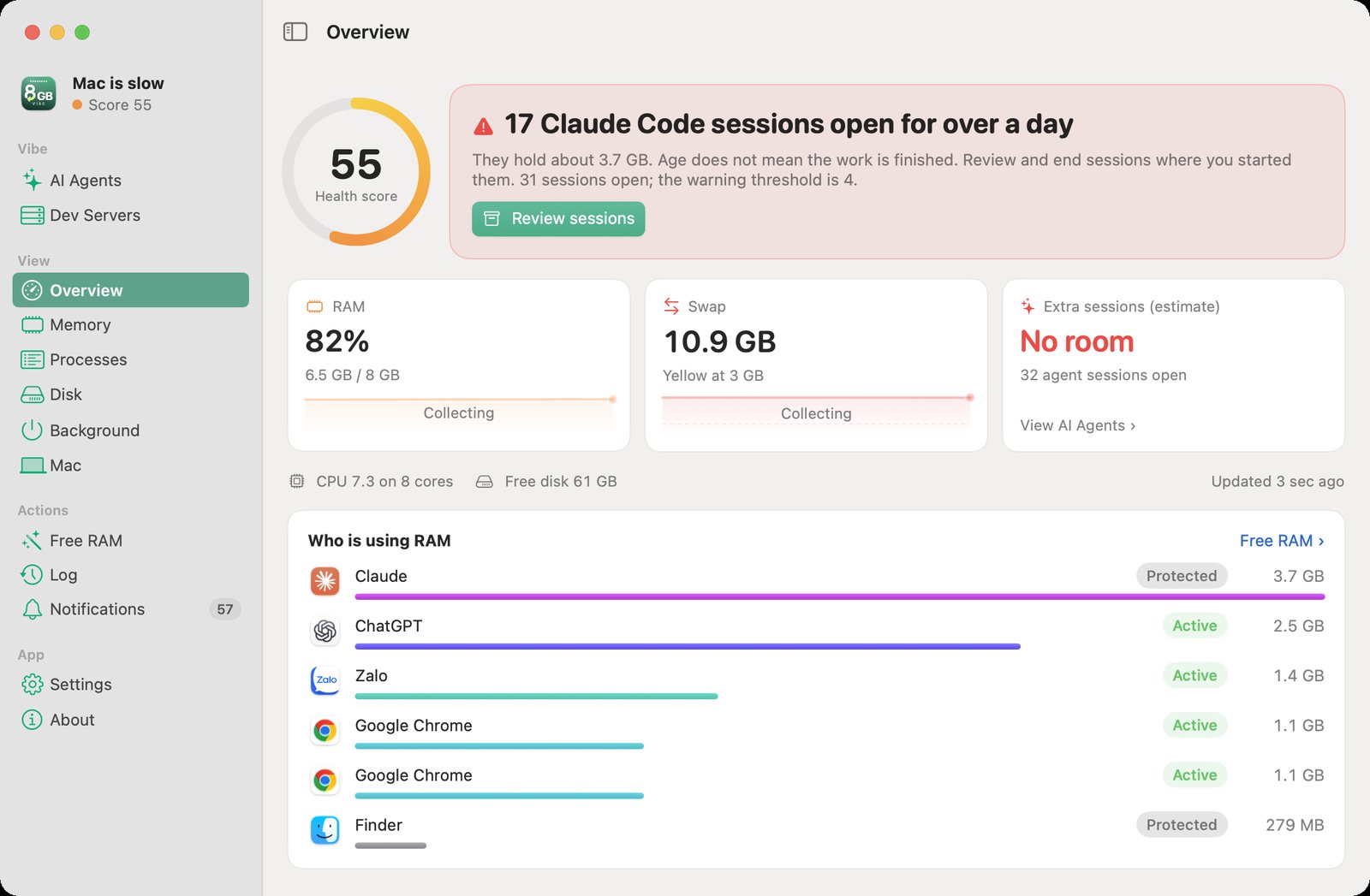
An 8 GB Mac that knows when to ease off.
100% free. Notarized by Apple. Sends no data to BEECA.
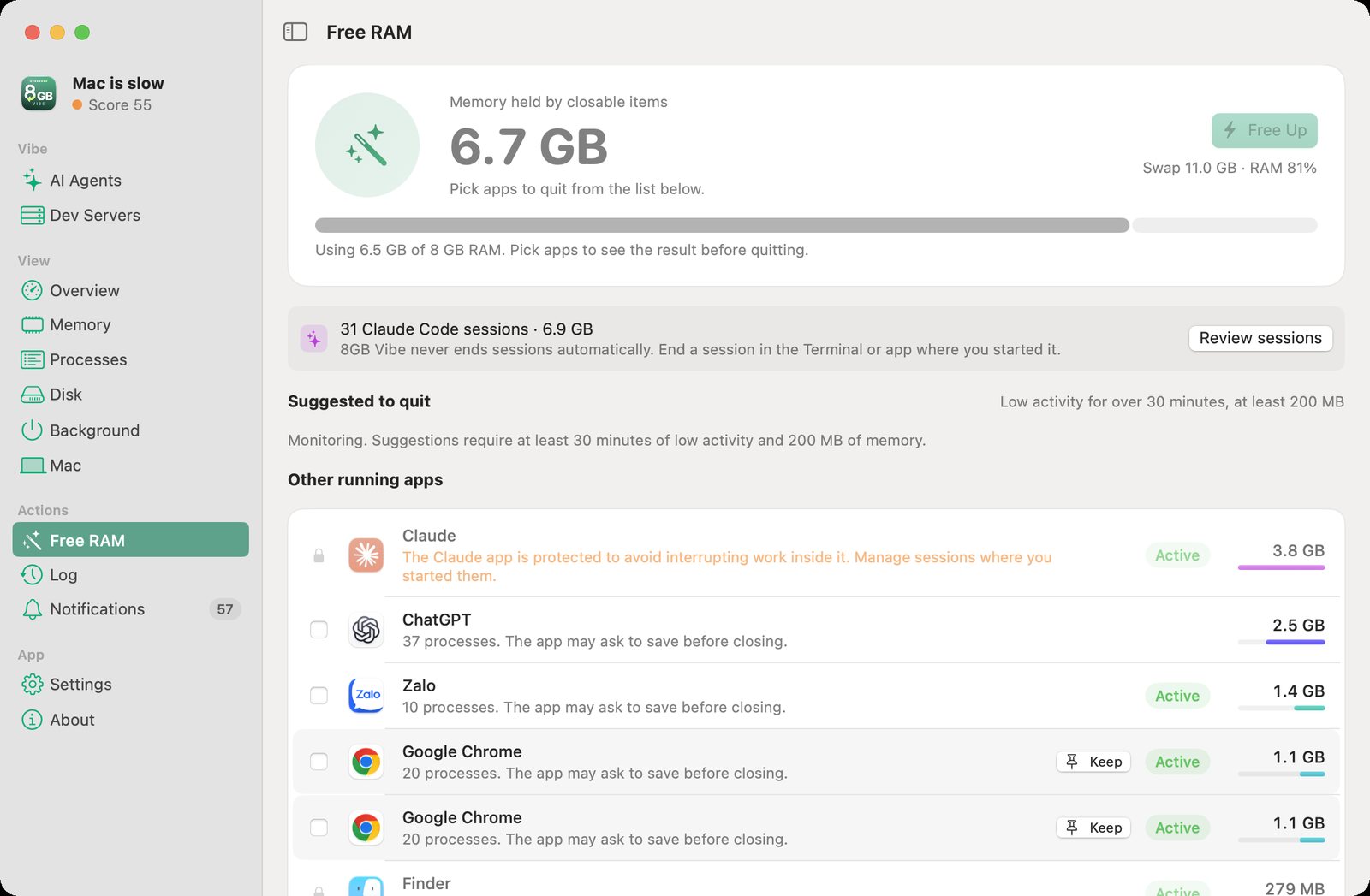
See which apps hold your RAM. Get suggestions to ease the load. You choose and confirm before anything closes.
Free download for macOSVersion 1.2.1 · 9 November 2026 · DMG 7.2 MB
macOS 13 or later, Apple silicon and Intel
9-10 GB of swap, more than the Mac’s real RAM
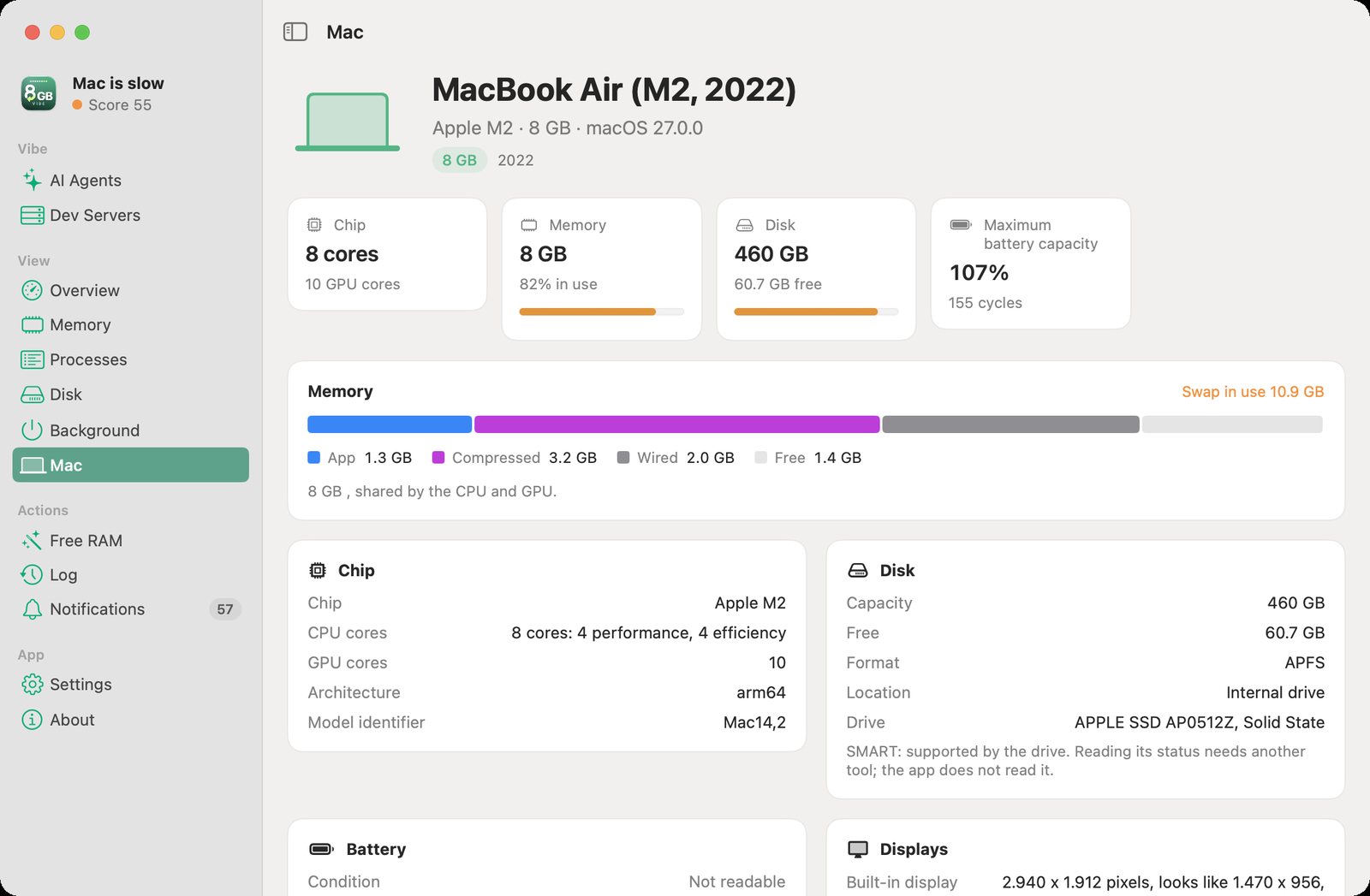
8GB Vibe started on a MacBook Air M2 with 8 GB of RAM. It ran many Claude Code sessions, Xcode, Gradle and Docker at once. One morning it barely responded to a click.
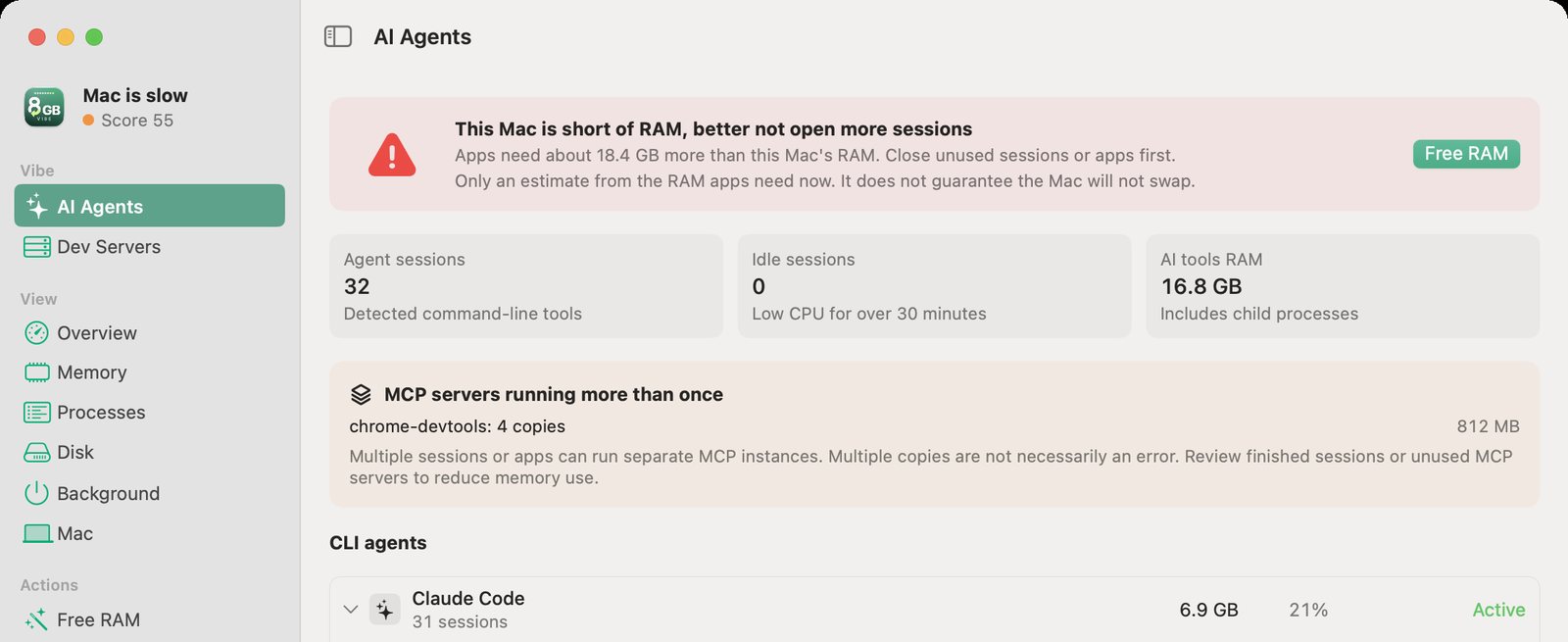
Freeing about 17 GB of disk did not help. The estimated memory demand of everything open was about 15-16 GB on an 8 GB Mac. When measured again, macOS was relying heavily on compressed memory and swap. There were 16 Claude Code sessions at about 200-300 MB each; 14 had been open for 22-42 hours with little CPU use. This is one Mac under a heavy workload, not a typical load for every 8 GB Mac.
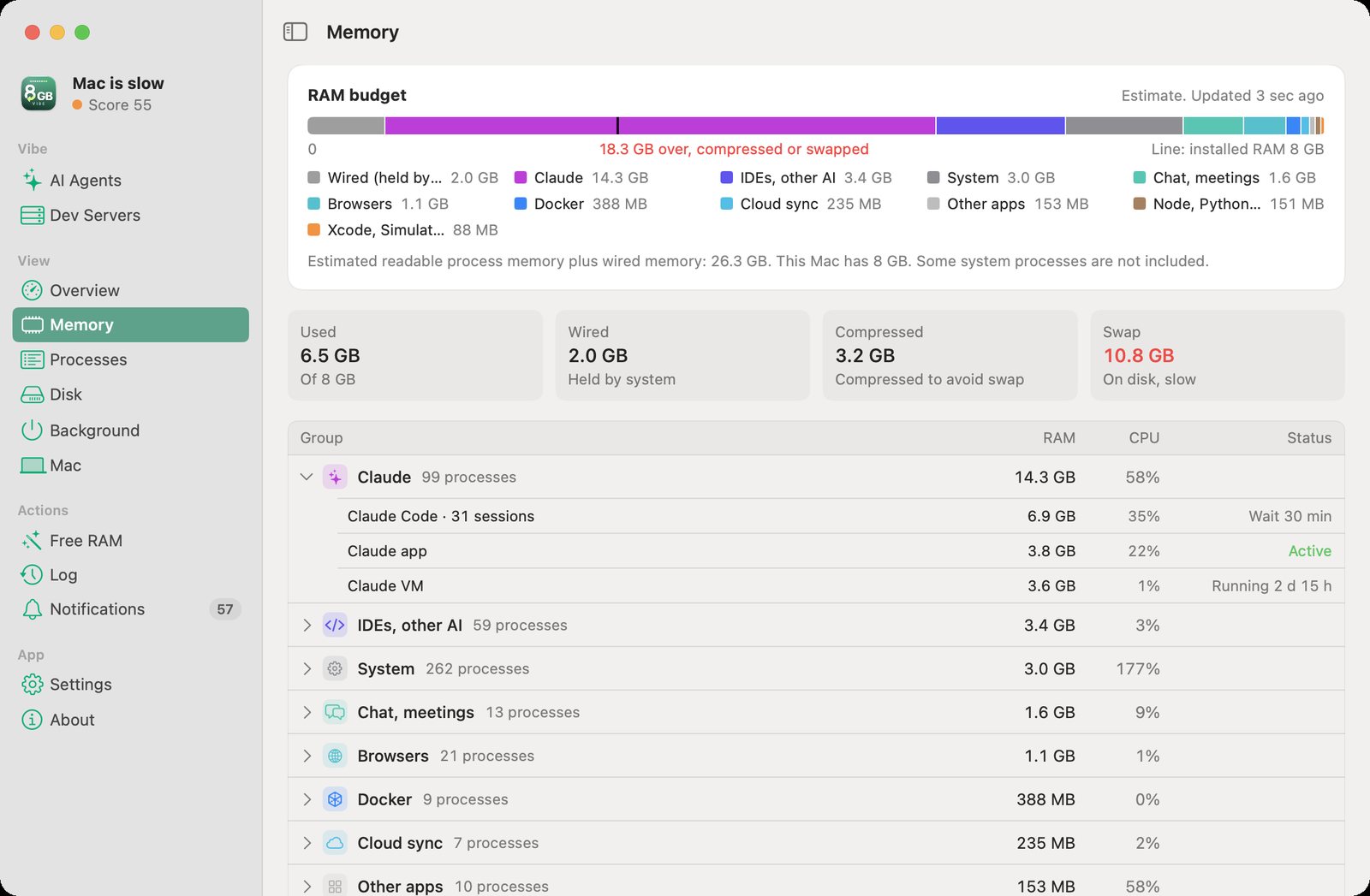
Processes are grouped by the work they do. Click a row to see how to check it and ease the load. Example from a MacBook Air M2 with 8 GB on 9 November 2026: the memory of the processes that could be read, plus the RAM macOS keeps locked (wired), is estimated at about 26.1 GB; this is not the amount of physical RAM in use.
Claude Code and the VM are parts of the Claude group and are not added on top of its 14.0 GB. The values and states below are an example at the time of capture. 100% CPU is about one core, so many processes together can exceed 100%.
The Claude app, its VM and 31 Claude Code sessions. The Claude app and Claude Code sessions are protected and cannot be closed directly from 8GB Vibe. The rows below are details of this group.
8GB Vibe never ends a session on its own. The AI Agents page shows how long a session has had little CPU activity; it may still be waiting for a reply. Check it and end it in the Terminal or app where you started it.
The Cowork VM of the Claude app. If no work there needs to stay open, you can quit Claude yourself (Cmd+Q) to free resources. Save your work first; quitting can interrupt work inside Claude.
Cursor, Antigravity and other AI tools. Free RAM suggests items that have been quiet for the set time, use 200 MB or more and are not on your Keep list. The default is 30 minutes; you always confirm before anything closes.
macOS processes and system tools. The app blocks stopping protected processes; this is not a group to close in bulk to free RAM.
Zalo, Slack, Zoom... Quit only when no call, task or unsaved data needs them. You choose the app and confirm before it closes.
Browsers run many processes for tabs, extensions and services. 8GB Vibe shows resources per process and cannot yet name each tab. Use the browser’s own task manager for details, if it has one.
Docker Desktop can use RAM even with no containers running. Quit it only when you do not need Docker; running containers may stop.
iCloud, Google Drive, Dropbox. 235 MB in this example; use can rise while syncing. Check progress before you pause or quit them.
Version 1.2.0 brings a new interface: one line of advice at the top, a ⌘K command palette, a Mac page, a Notifications page, tabbed Settings, Light and Dark modes and an accent color.
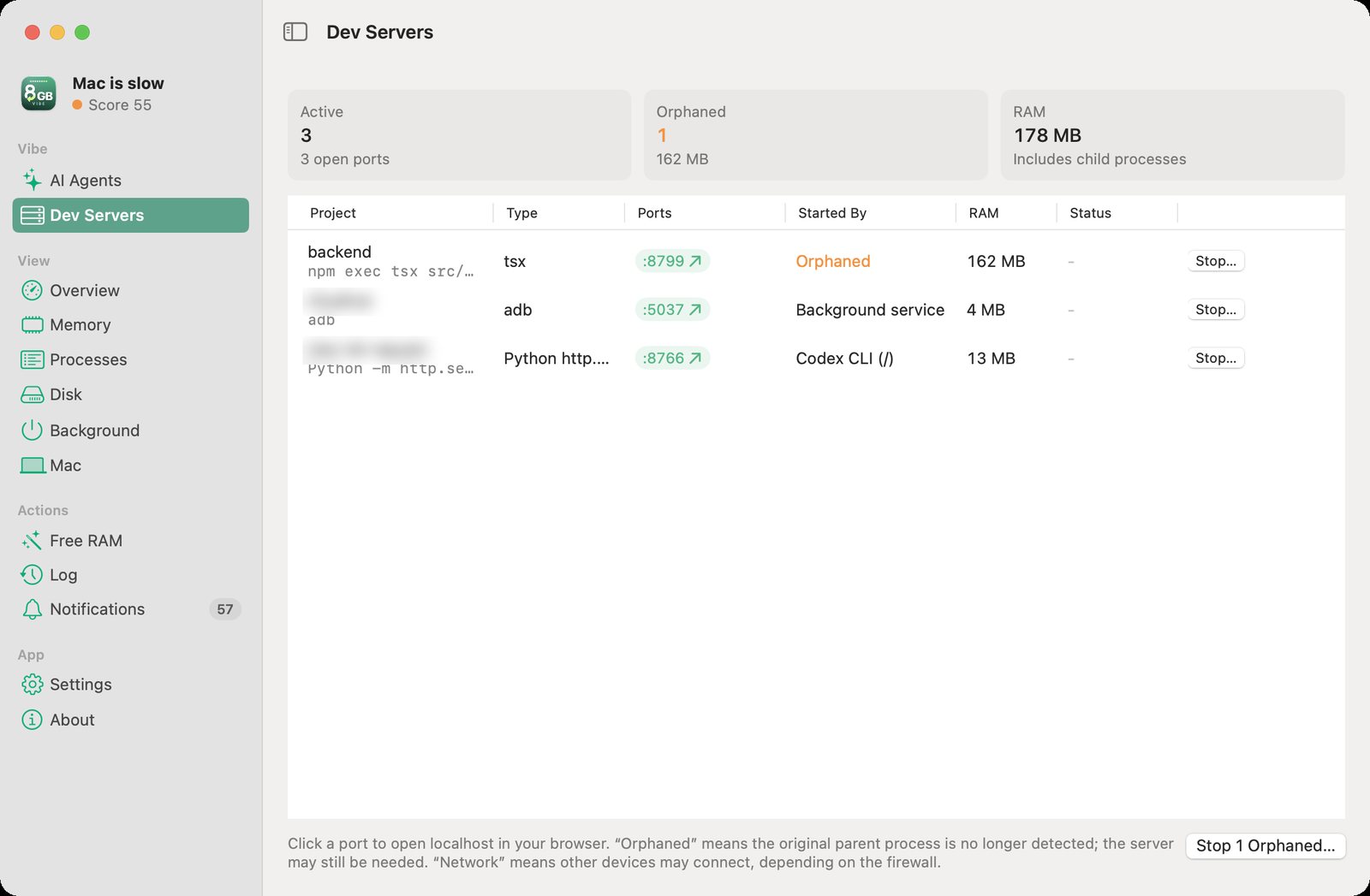
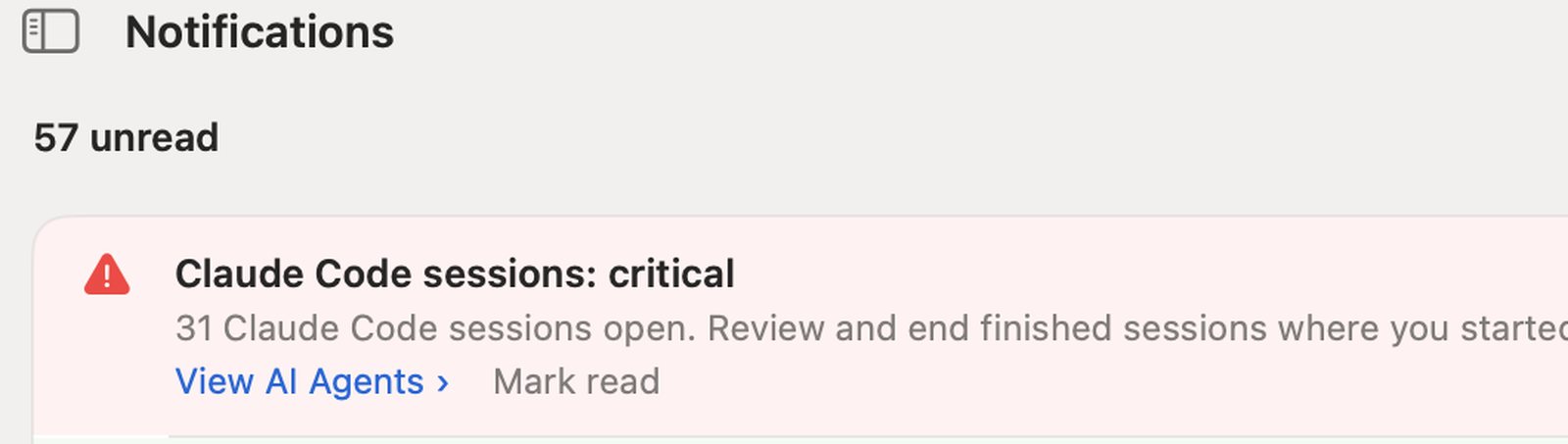
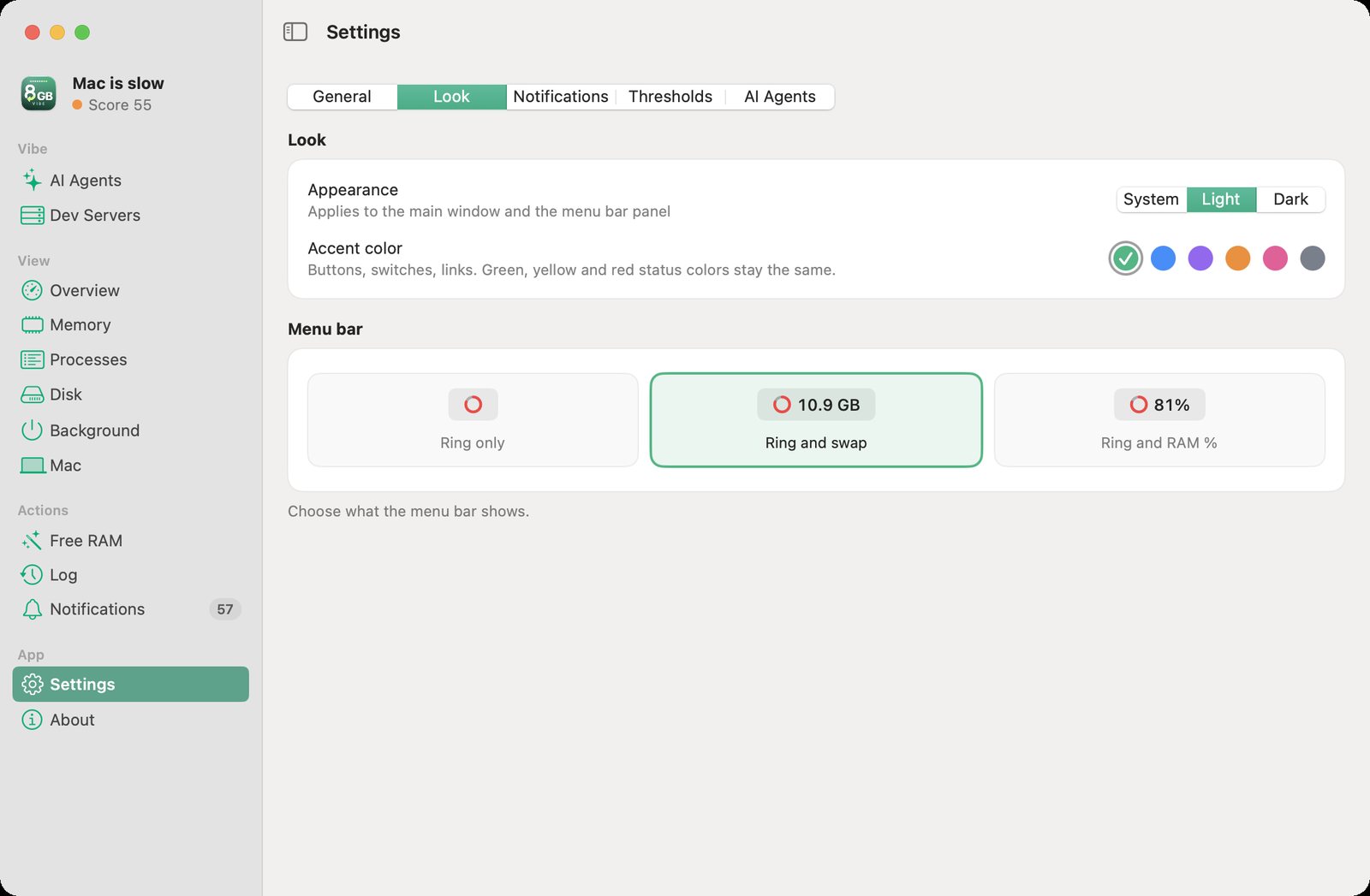
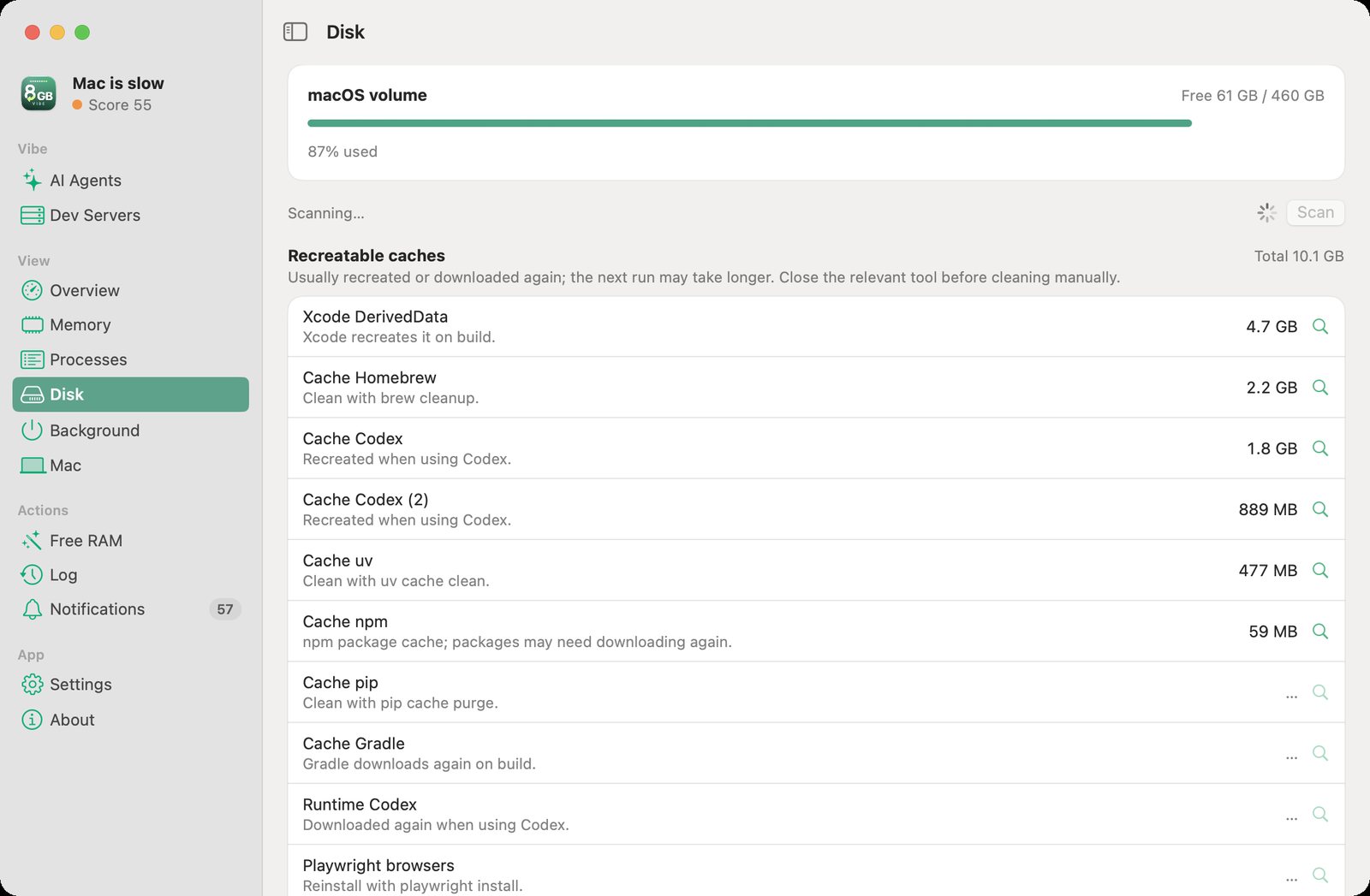
⌘K command palette Type a few letters to open a page or run a command.
machine_status
can_start
MCP is how an AI client calls 8GB Vibe’s tools. Once configured, an agent that chooses to call them can read RAM, swap and the heavy jobs already running, and get advice before a big build or test run.
acquire_slot
renew_slot
one heavy-job turn, with a time limit
The agent registers and asks for a turn before a heavy job. This helps participating agents avoid running on top of each other; it cannot stop agents or tasks that skip the turn.
release_slot
post_message
hand the turn back when done, leave a note for other agents
When the job is done, the agent hands the turn to the next one. A long job needs to renew its turn. Holding a turn does not guarantee enough RAM; the MCP tools only read state and coordinate, and never stop processes or clean up data.
Go to Settings → AI Agents to add the MCP server to the clients found on your Mac. The app asks for confirmation, then uses the client’s own command or edits its config directly. Existing files it edits directly are backed up, and you can remove the connection later. You may need to restart the client. Or run this command for Claude Code if 8GB Vibe is in /Applications:
claude mcp add --transport stdio --scope user 8gbvibe -- "/Applications/8GB Vibe.app/Contents/Helpers/8gbvibe-mcp"Claude Code
Codex
Claude Desktop
Antigravity
Cursor
Gemini CLI
It never closes apps or cleans up data on its own. Every app closed or process stopped from the interface is your choice, confirmed by you. The Disk page only measures space and has no delete button.
The app makes no Internet connections of its own and sends no data to BEECA. No account is needed. It keeps its log and measurements locally. To group processes, it reads the names and command-line arguments of some processes, on your Mac only. If you connect MCP, the AI client you choose can receive the Mac’s state and project names.
The download is signed with a Developer ID and has passed Apple’s automated security check. This is not a quality review or a guarantee that the app has no bugs.
Finder, the Dock, the Claude app and 8GB Vibe itself cannot be quit from it. It checks a process’s identity before every stop.
Measurements and estimates are kept apart. Sleep and wake events keep time asleep from being read as a stall from overload. The health score is a guide, not a speed benchmark.
A universal DMG for Macs with Apple silicon or Intel, running macOS 13 or later. Free, no account needed.
Free download for macOSDouble-click the 8GB-Vibe file in your Downloads folder.
Drag the 8GB Vibe icon onto the Applications folder.
A ring icon appears in the menu bar, at the top right of the screen.
Open 8GB Vibe from Applications. A full menu bar or the notch can hide the icon: remove items you do not need. On macOS versions with System Settings → Menu Bar, check that 8GB Vibe is allowed to show.
c5d6ea4c216e50611c4c59f5000ecd5b4c31becf23bd8c1146d7d65c6f6008c3
Open Terminal, run the command below and compare the result with the checksum above:
shasum -a 256 ~/Downloads/8GB-Vibe-1.2.1.dmgYes. It is 100% free, with no ads, no paid tier and no account.
The app reads and processes data on your Mac and keeps its log and measurements locally. It makes no Internet connections of its own and sends no data to BEECA. To group processes, it reads the names and command-line arguments of some processes, on your Mac only. The MCP server uses stdio and opens no network port. When you connect MCP, the AI client can receive the Mac’s state and project names; whether that client sends data to its AI provider depends on its own settings and policy.
The app makes suggestions for you to review and always asks for confirmation before closing an app or stopping a process. The MCP tools only read state and coordinate. The app will not stop a Claude Code session directly; closing the Terminal or app that holds it can still interrupt the work inside.
RAM, swap, CPU and disk figures are read from macOS at intervals; not every process can be read. The RAM budget, room for a new session and the RAM of an item you plan to close are estimates. After closing, the app measures RAM and swap again; the result can include other activity. Low CPU activity does not mean a session is finished.
Swap is space on the disk that macOS uses to move data out of RAM. Heavy swap reads and writes can slow the Mac down; a large swap size on its own does not prove the Mac is short on RAM. 8GB Vibe helps you watch this and choose what to ease off; it does not add physical RAM.
The app is aimed at Macs with little RAM and works on 16 GB and up. It picks thresholds for your configuration; the 16 GB and 24 GB-plus profiles are still experimental. A lot of swap in use is not enough to conclude RAM is short: also look at memory pressure and swap read/write rates.
Yes. The download is universal and runs on Apple silicon and Intel, on macOS 13 or later. The interface is in English and Vietnamese.
First, open 8GB Vibe from Applications. If the menu bar is full or the notch covers the icon, remove items you do not need to make room. On macOS versions with System Settings → Menu Bar, check that 8GB Vibe is allowed to show. Not every macOS version has this setting.
To update, download the new DMG here, quit the old app, drag the new one to Applications and choose Replace. To uninstall, quit the app and delete 8GB Vibe from Applications; its log and local data remain in ~/Library/Application Support/8GB Vibe. If you installed the MCP server, remove it first in Settings, AI Agents tab.